new block please?
-
Hello,
I am currently using "pass once" & "reset" blocks in my EA. the problem is if the EA restarts, they have no memory of their state before the restart. would it be possible to create a block that looks at the attributes of the last trade (open or closed) for a given currency pair (buy, sell, etc). The "Check type (last closed)" block will not work because there is a 50/50 chance that the last trade will still be open.thank you
James -
Yes, these blocks work with a temporary memory.
You may try something like this, I hope it works:
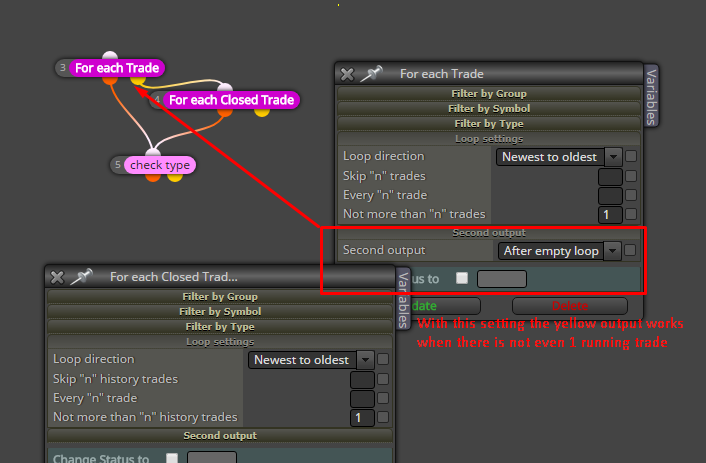 ,
,If in any case you need persistent memory, take a look at those: https://fxdreema.com/tutorial/builder/constants-and-variables#terminal_variables
-
Ok, the only issue i see with this is that there is no way to point to the last trade opened. if you look at the screen shot you will see that because there is both a buy and sell that have taken place both sets of loop blocks will pass. an example of the logic im looking for would look something like this:
look at last order opened regardless of weather it is currently running or closed, if it is a buy position then continuously pass.  -
sorry the image wont upload
-
-
I don't see what is wrong. I made this example now: https://fxdreema.com/shared/3BN8jwtV
Test this on M1. In Block 6 I selected M15, so a new random trade is created ever 15 minutes. I set expiration time for the Buy trade to be 10 minutes and for the Sell trade to be 20 minutes... so we can have different situations.
If the last detected trade is Buy - white arrow is printed. If the last trade is Sell - red arrow is printed.
Both "Draw Arrow" blocks can draw one new arrow on every run and that's how I want to check whether or not "check type" passes twice on a run. You see this "Once per bar" (block 10) above that allows the loop blocks to run only once per bar, so in the ideal situation we would see 1 arrow per bar. You can connect the other "Once per bar" (block 11) to see that you will start to see 2 arrows per bar... well, arrows overlap actually, so you have to move one around to see the one below.
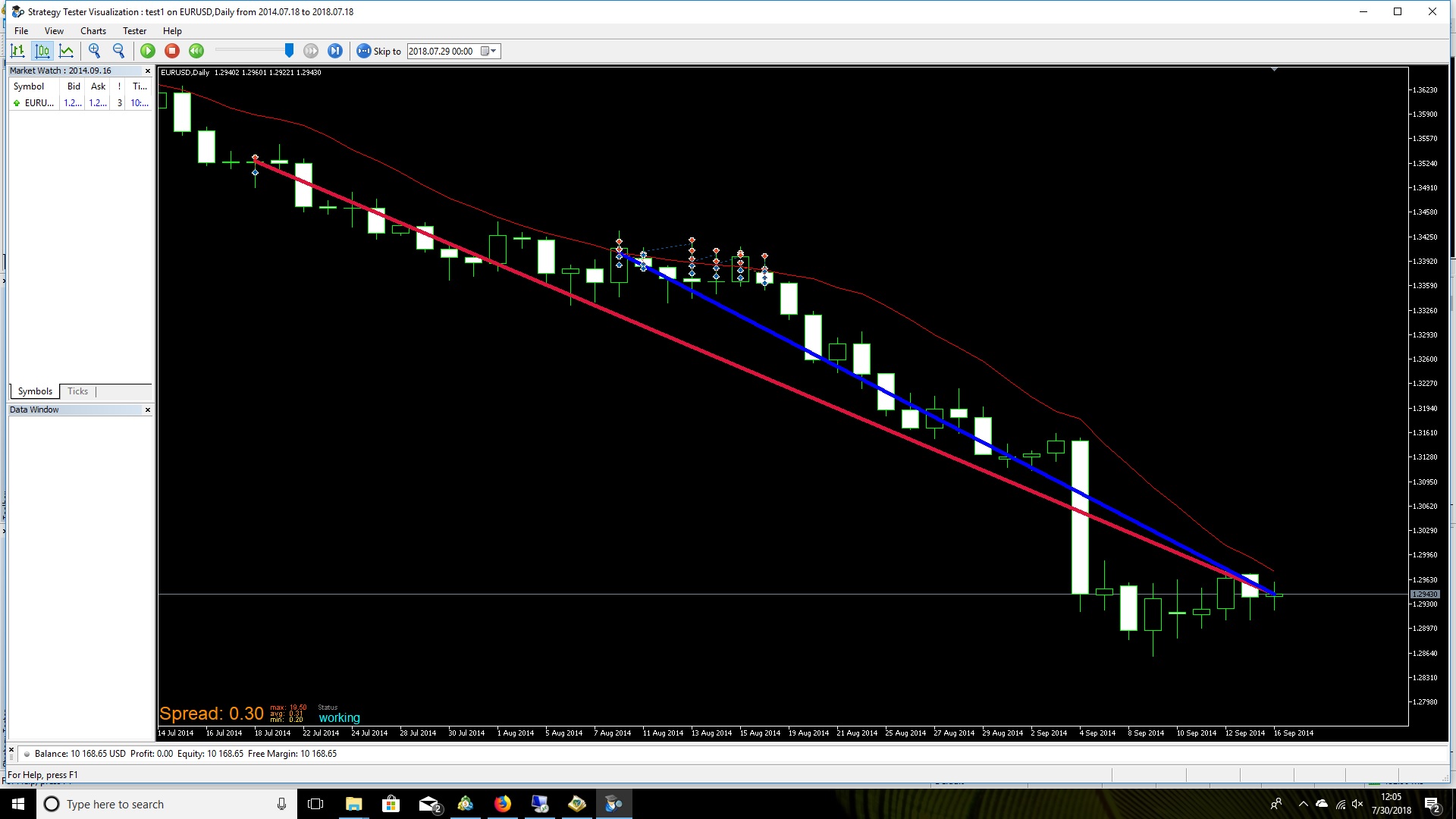
I checked this and I see no problems for now. Here is a screenshot:


